Automatically mark Shopify prepayment order as paid after receipt of payment
Never again manually scroll through bank receipts and mark the corresponding order as paid in Shopify Admin.

Raphael Stolz
Managing Director
Reading time: 5 minutes
Let AI summarize the post
Are you tired of manually scrolling through your bank incoming payments and then marking open prepayment orders as paid by hand? Then let Cleero do that automatically from now on.
Cleero - Automatic payment reconciliation made easy
When you connect your bank in Cleero, it synchronizes your bank incoming payments several times a day. As soon as a bank incoming payment is found that matches an open order, it is assigned accordingly and the order is marked as paid.
The reconciliation list provides an overview
Cleero reconciles most bank incoming payments automatically. Sometimes there are special cases that Cleero cannot reconcile on its own. You can see these at a glance in the reconciliation list.
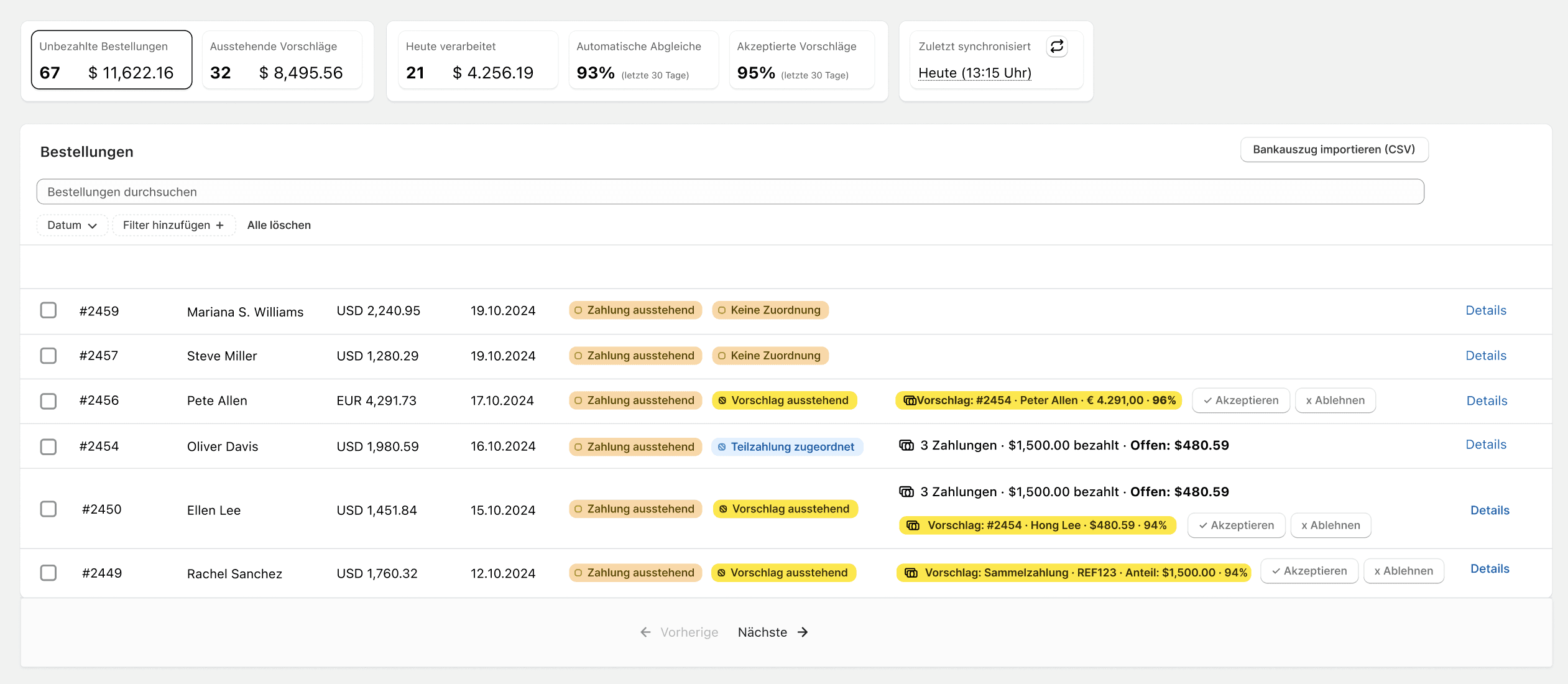
Accept or reject payment suggestions
A small display above the list tells you how many suggestions there currently are, and with a single click, you can see them collected in the list. You can accept or reject them individually or in bulk via the multi-selection.

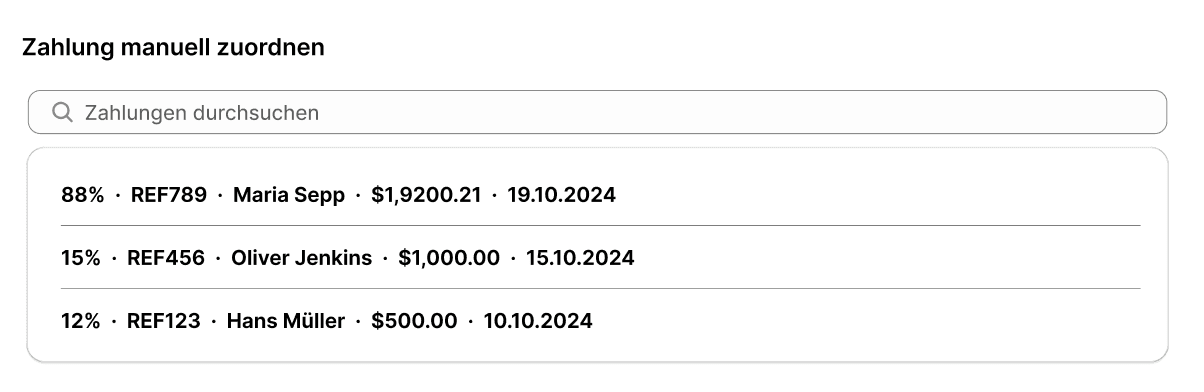
Assign payments manually
If a suggestion does not fit, you can also assign payments manually. To do this, click all the way to the right of the corresponding row on Details. A window will open in which you will find an "Assignments" field.
Special cases: Partial and collective payments
Cleero successfully reconciles partial and collective payments.
Partial payment: Customer pays for an order in several payments
Collective payment: Customer pays for several orders with a single payment
Reconcile only specific orders
Cleero gives you the option to reconcile only specific orders. This is done via TAGs. For example, you can include or exclude orders with specific order or customer tags.
Integrations with ERP systems or invoicing tools
Cleero offers integration with major third-party providers. This allows the synchronization of invoice numbers that would not be visible without the integration. This enables us to guarantee successful reconciliation.
Share on social media