Send payment reminders via Shopify Flow (via Sidekick)
You've never set up payment reminders this quickly. Simple and fast. With Shopify's internal AI "Sidekick".

Raphael Stolz
Managing Director
Reading time: 5 minutes
Let AI summarize the post
Since Shopify made the Shopify Flow feature available for all plans in October 2022, countless possibilities opened up. Among them was the ability to set up the sending of payment reminders directly via Flow.
How this is possible in 2026 in combination with Sidekick and what you need to pay attention to will be covered in this short article.
Creating an email payment reminder in Shopify Flow (with the help of Sidekick)
Using Sidekick, Shopify’s internal AI, workflows for payment reminders can be set up the fastest.
What you need for this:
FlowMail, for sending transactional emails (Transactional emails differ from marketing emails because they are important to the recipient and are not advertising.)
Step: Use prompt (templates)
The following prompts will get you to your goal the fastest.
Prompt for payment reminders for open prepayment orders:
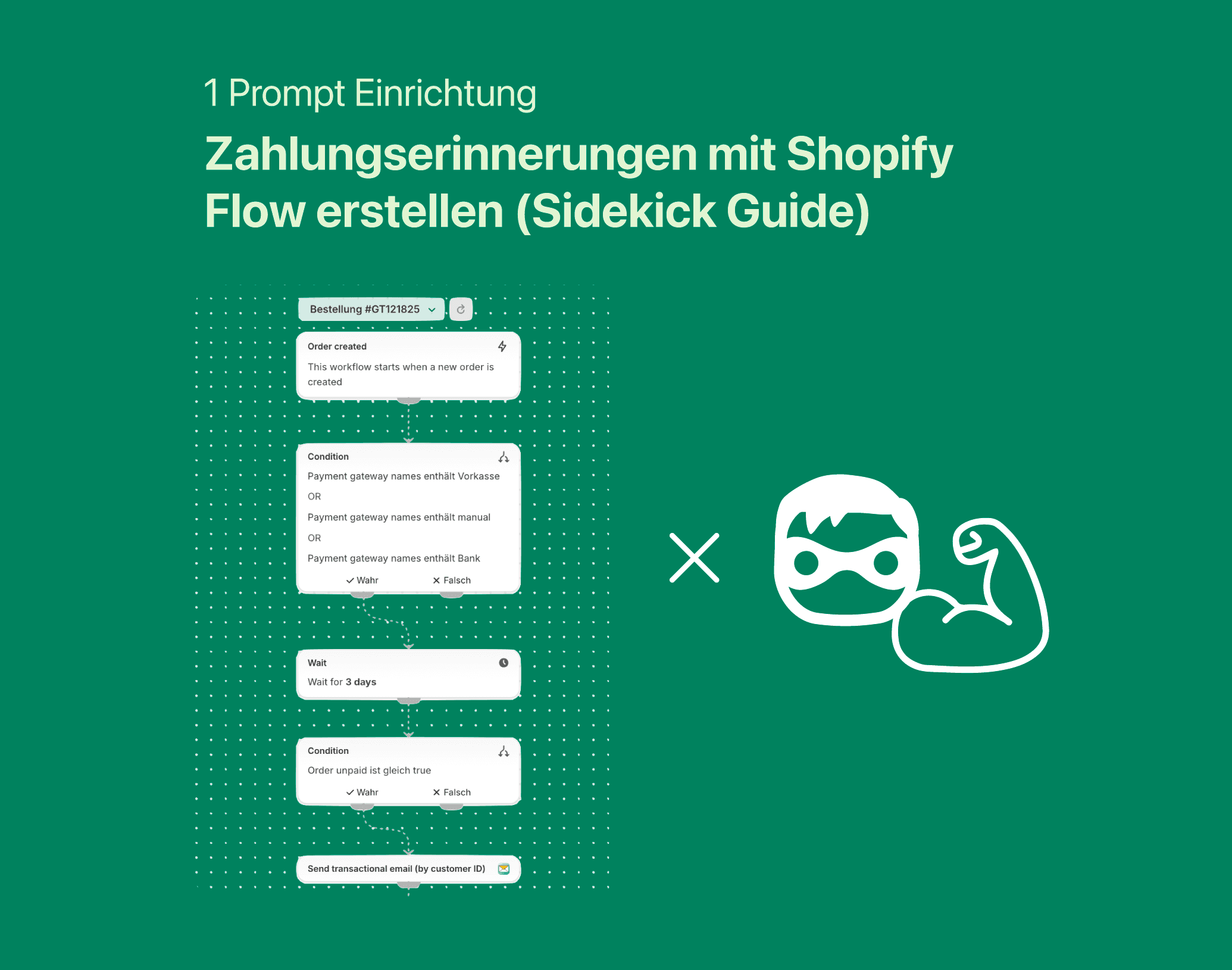
Create a workflow for sending payment reminders to customers with open orders using the prepayment payment method. The customer should be reminded after 3, 5, and 7 days.
Prompt for payment reminders for open draft orders:
Create a workflow for sending payment reminders to customers with open draft orders. The customer should be reminded after 3, 5, and 7 days.
This creates a workflow in Sidekick for the 3 payment reminders.
Step: Adjust email content and settings in FlowMail
Now you can adjust the settings of the FlowMail blocks. These include content, subject line, CTA, CC, and BCC.
Important: Adjust the reply-to email address for each individual FlowMail block to ensure that any customer replies to the payment reminder also reach you. You can later verify your domain in FlowMail and send emails through it.
Step: Activate and test the workflow
After that, the workflows must first be added to the shop and activated.
Unfortunately, there is no direct way to preview the payment reminder emails before they are sent out. However, you can place a test order and reduce or remove the sending delays to receive a test email.
Step: Adjust the email template
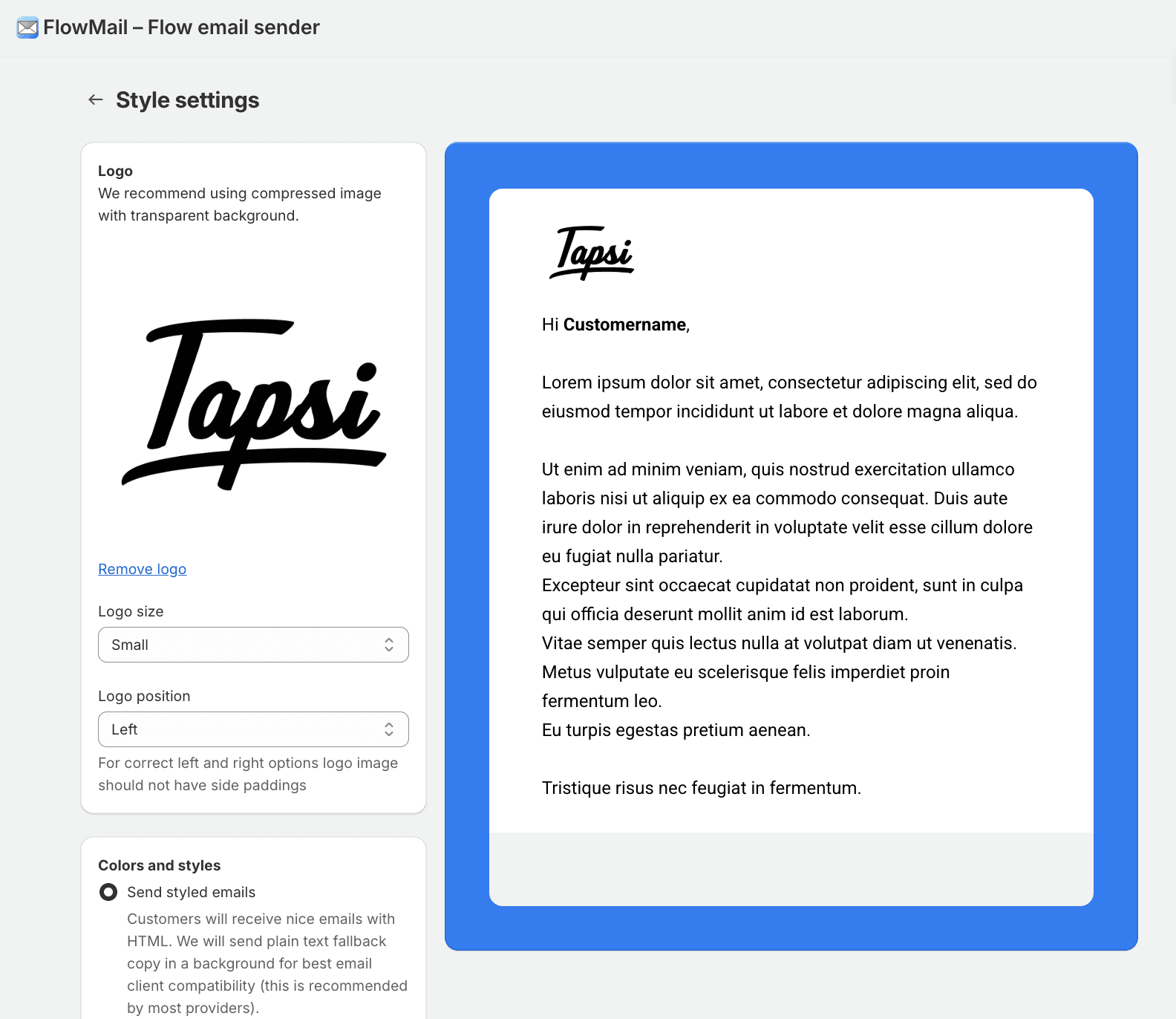
In the FlowMail app itself, you can now adjust the design of the email. The customization options are somewhat limited, but that is fine for small shops. If you place more value on consistent branding and professional emails, you should take a look at Kindly.
For those who understand HTML, you can also create your very own template.
Conclusion
This solution is super simple and fast. Especially recommended if you are just getting started. However, I would not call this method sustainable, because it does not offer a way to view email performance. You have no overview of how much revenue was recovered, how many emails were opened and clicked, or ended up in the spam folder. So I never know how well my emails perform, and therefore I cannot make any improvements.
In my opinion, it is sufficient for small shops that still place relatively little value on guaranteed functionality, security, reporting, and consistent branding. For a sustainable and scalable method of sending payment reminders, I would recommend specialized apps like Kindly.
Share on social media